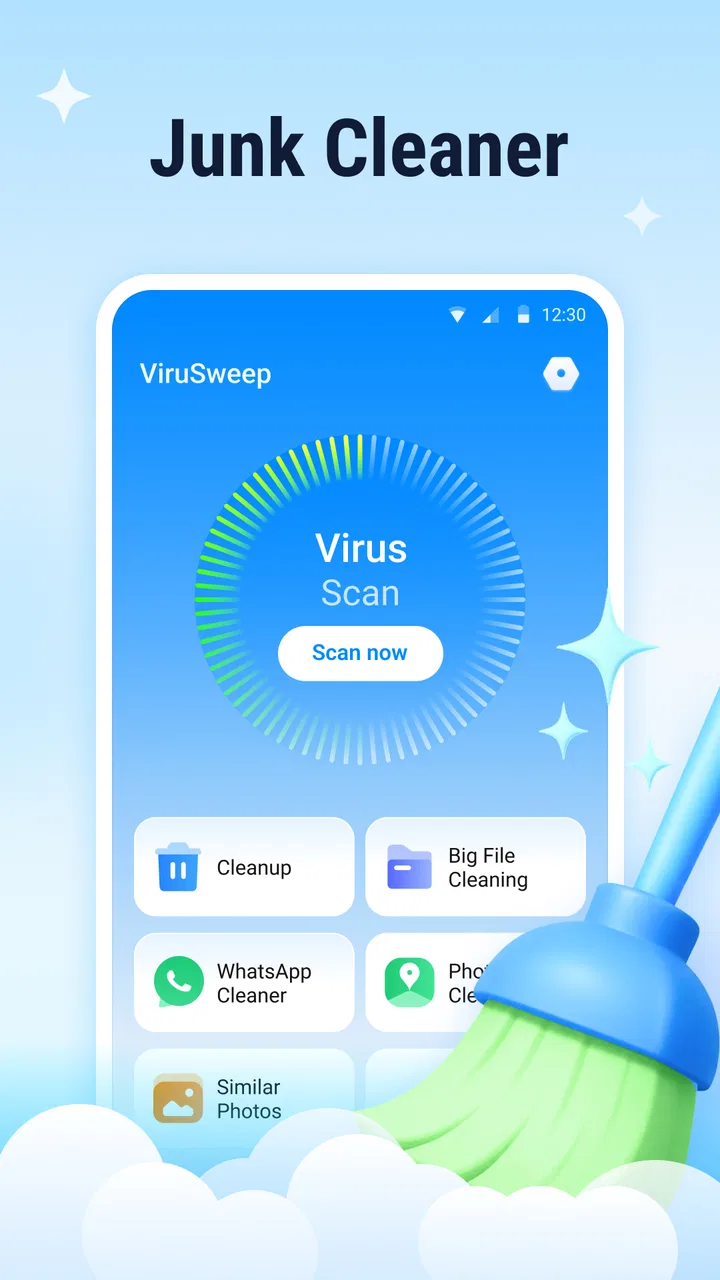
ViruSweep - Antivirus & Clean
- 3.8
- Rating
- 1.00M
- Installs
- Free
- Price

 Analysis by App-foxy
I approached ViruSweep as a practical Android utility rather than an app I would leave running in the background and forget about. Its purpose is straightforward: help clean unwanted files, check a device for viruses, and make file management less awkward. That combination puts it in a crowded tools category, but I found the appeal easy to understand. Many people want one place to perform a quick safety check and tidy up storage without learning a complicated maintenance system.
What makes the app worth considering is its simple scope. Kadara Systems presents it as a free tool for everyone, and the current release is version 1.5.0.0. It supports Android 7.0 and later, so it can be relevant to older phones as well as newer devices. I would not treat it as a complete replacement for careful browsing habits or the built-in Android settings, but it can be a convenient second layer when a phone feels cluttered or something seems unusual.
How ViruSweep feels in everyday use
My first impression is that ViruSweep is aimed at quick decisions. A useful cleaner should help me understand what can be removed, while an antivirus tool should make scanning feel deliberate rather than mysterious. File management has a similar requirement: I need to know what I am looking at before moving or deleting anything. The app’s three-part focus makes sense for people who prefer a single maintenance stop instead of switching between storage settings, a security scanner, and a file browser.
You May Also Like

 Blood Strike: 2.5 Anniversary
Blood Strike’s Loadouts Turn Every Drop Into a Tactical Gamble
A close look at Blood Strike’s custom loadouts: how fast access to signature weapons reshapes its battle royale rhythm, rewards preparation, and narrows the gap between fights.

 Pandora - Music & Podcasts
Pandora’s Music Is Easy to Start, but Harder to Recover
Pandora’s strength is its low-effort path from a seed to a station. Its weak spot is how much confidence it asks you to place in connection, setup, and quiet recovery.

 8 Ball Pool
 Is Built on Rivalries, Rematches, and Routine
A close look at the rivalries, rematches, shared routines, and unanswered safety questions that turn a quick pool match into a persistent mobile community.

 Samsung Music
’s Quiet Strength Is Playing What You Already Own
Its reach comes less from spectacle than from dependable access to a personal library. That simplicity is both the app’s strongest retention engine and its ceiling.

 AccuWeather: Weather Radar
AccuWeather Review: A Quick, Clear Forecast for Everyday Decisions
For everyday plans, the best forecast is the one you can understand quickly. AccuWeather makes rain timing, radar, and local conditions easy to act on, with a few trade-offs.

 Hill Climb Racing
Why Hill Climb Racing Still Turns Crashes Into One More Run
A tiny car, a bumpy hill and one more upgrade: Hill Climb Racing keeps resurfacing because its simple chaos makes every near-miss feel personal.
More From Our News Desk



A realistic use case is a phone that has accumulated downloaded installers, old documents, duplicate-looking images, and temporary leftovers after months of normal use. I would open the cleaner first, review the suggested items, and avoid approving everything automatically. Then I would run the virus scan, especially if I had recently installed an app from outside the usual store. Finally, I would use the file tools to locate anything important before making a larger cleanup decision.
That order matters. Cleaning first can make the file list easier to understand, but it can also remove something you intended to keep if you rush through the results. I recommend treating every cleanup result as a recommendation, not a command. The strongest habit with an app like this is to inspect file names, folders, and dates before confirming removal.
The app is free, which lowers the barrier to trying it. It also carries an Everyone age rating, making its intended audience broad. Those details do not automatically make it suitable for every device owner, though. Someone who already uses Android’s storage tools and a trusted security solution may gain little from adding another layer. ViruSweep makes more sense for a person who wants a compact, approachable workflow and is willing to review its suggestions carefully.
Cleaning without turning storage into a guessing game
The useful distinction here is between finding clutter and deciding what clutter means. A large file is not necessarily disposable, and an old file may still be valuable. When I use a cleaner, I want it to help me locate candidates rather than encourage blind deletion. ViruSweep is best approached with that mindset, particularly when the phone contains work files, offline media, messaging attachments, or photographs that are not backed up elsewhere.
One practical workflow is to use the cleaner before a trip or before recording a long video. I would remove only items I recognize, then check the available space again through the phone’s own settings. This gives me a safer confirmation than relying on a single visual result. It also helps separate genuinely useful cleanup from a temporary feeling that the device is more organized.
Another less obvious use is troubleshooting. If an app is behaving strangely after storing a large amount of temporary content, a careful cleanup may help me identify whether storage pressure is part of the problem. It will not repair every malfunction, and I would not expect it to fix a damaged app or a failing memory chip. Still, a focused review of large and disposable files can be a sensible first step before more disruptive measures.
Using the virus scan as a check, not a guarantee
The antivirus function is likely to attract the most attention, but it is also where expectations need the most discipline. I would use ViruSweep to scan after downloading an unfamiliar package, receiving a suspicious file, or noticing behavior that does not fit the phone’s normal routine. A clean result can be reassuring, but it should not be interpreted as proof that every privacy or security risk has disappeared.
Security is layered. Android updates, careful installation choices, strong account protection, and avoiding suspicious messages still matter. A scanner can help identify known problems, yet it cannot turn an unsafe download into a safe one or judge every permission decision perfectly. For that reason, I see this feature as a convenient inspection step rather than the sole security plan for a device containing sensitive work or financial information.
I would also run scans at sensible moments instead of repeatedly starting them out of anxiety. A scan after a questionable download is more useful than constant checking with no change in the phone’s activity. If the app reports a concern, I would note the file or application involved, avoid opening it again, and verify the result with the phone’s established security tools before deleting something important.
File management is where caution pays off
The file side of the app can be valuable for people who struggle to find content through a standard file browser. A focused utility can make it easier to separate downloads, documents, images, and other material, but the convenience comes with a responsibility: file actions are permanent or difficult to reverse in many situations. I would never use a broad selection action without checking what is included.
A good routine is to handle one category at a time. I might begin with downloads, remove only files whose purpose is clear, and then move to large media. For documents, I would be more conservative because an apparently old file could be needed later. This approach takes longer than tapping a universal cleanup button, but it reduces the chance of turning a storage problem into a recovery problem.
ViruSweep is also more useful when I already know what I want to accomplish. “Find the large video I no longer need” is a clear task. “Make the phone clean” is too vague and invites over-cleaning. That distinction is one of the most important practical lessons with maintenance apps: a defined target produces safer results than a general desire for more free space.
What the current release means for users
The current version, 1.5.0.0, gives the app a defined point in its development. I would judge it as a tool that has reached a usable stage, while still leaving room for refinement. The product’s core direction is clear: combine cleanup, malware scanning, and file handling in one Android application. That is more useful than an app that tries to do everything from battery optimization to performance boosting without a clear purpose.
For existing users, a version change is most meaningful when it improves confidence and reduces friction. In a utility like this, that can mean clearer scan results, more understandable cleanup choices, smoother navigation, or better handling of different file types. I would pay attention to those areas when updating, because they affect whether the app helps me make informed decisions or simply presents more buttons.
I would not assume that a newer version makes every recommendation automatically correct. Updates can improve an app’s behavior, but the safest user habit remains the same: review what is selected, keep important files backed up, and use the built-in system tools as a reference when the result seems surprising. The app should support judgment, not replace it.
Its adoption suggests that the concept has found an audience: ViruSweep has passed one million installs and holds an average rating of 3.9 from roughly eighteen hundred ratings. I read that as a sign of practical interest rather than a guarantee of universal satisfaction. The rating is respectable but not so high that I would ignore the possibility of uneven experiences across different phones, storage layouts, or Android versions.
The number of written reviews is much smaller, at around thirty, so I would be cautious about drawing detailed conclusions from public comments alone. In my view, the best way to evaluate this app is to test it with low-risk files first. That lets me see whether its categories and recommendations match my own device before I trust it with more sensitive cleanup work.
Who benefits most from this approach
I think ViruSweep suits people who want a straightforward maintenance companion rather than a highly technical security suite. It can be a reasonable fit for someone who regularly downloads files, has trouble locating storage-heavy content, or wants a single place to start when a phone feels untidy. It may also help family members who are comfortable following clear prompts but do not want to navigate several system menus.
It is less suitable for an advanced Android user who already has a carefully managed file workflow and prefers to inspect every folder manually. It is also not my first choice for someone seeking enterprise-grade device security, detailed forensic reporting, or extensive automation. In those cases, a dedicated security product or the phone manufacturer’s own management tools may be a better match.
I would skip it if I expected a cleaner to produce dramatic performance improvements. Removing unnecessary files can make storage easier to manage, but it does not guarantee a faster processor, longer battery life, or a cure for every sluggish application. Anyone choosing it mainly for those promises may be disappointed. Its strongest value is organization and inspection, not magic acceleration.
Where it differs from the usual alternatives
The usual alternatives fall into separate groups. Android’s built-in storage controls are often the safest starting point because they are integrated with the operating system and familiar to the device. A dedicated file manager may offer more detailed control over folders and transfers. A specialist antivirus app may provide a deeper security focus than a combined utility. ViruSweep sits between these options by bringing several common tasks together.
That combination is convenient, but it also creates a trade-off. A focused file manager can be more precise, while a focused security product may provide more security-oriented context. ViruSweep is attractive when convenience matters more than depth. I would choose it for routine inspection and basic organization, then rely on system controls or a specialist tool when a decision involves sensitive files or a serious security concern.
The app’s broad purpose may also reduce the need to install several utilities, which is useful on a phone with limited space or for a user who dislikes cluttered tool collections. On the other hand, putting multiple jobs in one app means I would want its results to be especially transparent. If I cannot tell why an item is considered junk or why a file has been flagged, I would pause and investigate instead of accepting the recommendation.
Small habits that make the app safer
I would begin by creating a personal “do not touch” mental list: photographs, identity documents, active work folders, and anything not backed up. Then I would inspect ViruSweep’s suggestions against that list. This simple step is more valuable than chasing every possible megabyte because it keeps the cleanup aligned with real priorities.
I would also separate scanning from deleting. First scan and understand the result; then decide what action is appropriate. If a file is unfamiliar, I would identify its source before removing it. If an application is flagged, I would check whether it came from a trusted source and compare the warning with Android’s own security information. This two-stage workflow reduces impulsive decisions.
For recurring maintenance, I would choose a calm moment rather than cleaning during an urgent situation. If I am about to board a flight and need space immediately, I am more likely to delete something too quickly. A planned review at home gives me time to open files, confirm backups, and move important content before removing anything.
Finally, I would keep expectations tied to the app’s actual role. Use it to locate candidates, inspect the device, and organize files. Do not use it as a reason to ignore updates, passwords, permissions, or safe downloading practices. That balance lets the convenience work without giving the app responsibility it cannot reasonably carry.
What I would watch as the product evolves
Future progress should be judged by clarity more than by a longer list of tools. I would like to see continued attention to understandable explanations for cleanup suggestions and scan findings. When a utility tells me what it wants to remove or why something deserves attention, I can make a better decision. When it only presents a large total, the experience becomes less trustworthy.
I would also watch how well the app handles the variety of Android devices supported by its minimum operating-system requirement. Older phones may have different storage arrangements and different performance limits from newer models. A good update should remain usable on both without making routine scans feel unnecessarily heavy or confusing.
Existing users should look at each update as a chance to reassess their workflow rather than assuming every new release changes everything. Check whether the screens are clearer, whether results are easier to verify, and whether the app still fits the way you manage files. New users can do the same evaluation with a small, low-risk test before making it part of their regular routine.
My overall view is positive but measured. ViruSweep is a free Android tools app from Kadara Systems that brings three practical jobs together: cleanup, virus checking, and file management. I appreciate that focused combination, especially for people who want a simple starting point instead of a collection of separate utilities. The app is most convincing when I use it as an inspection assistant and keep control over the final decisions.
I would recommend trying ViruSweep if your phone has become difficult to organize and you want one accessible place to begin. I would not recommend trusting any cleaner or scanner blindly, and I would choose a more specialized alternative for demanding security or file-management work. Used carefully, it can make routine maintenance less scattered; used carelessly, its convenience could encourage deletions that deserve more thought.
In the end, the best reason to keep it installed is not the promise of a perfectly optimized phone. It is the practical workflow: identify clutter, inspect suspicious content, and manage files with a little more structure. If that matches your needs, the current release is worth testing on low-risk material first. If you already have a reliable system and prefer maximum control, Android’s built-in tools or dedicated alternatives may remain the better fit.
My recommendation: useful for guided, everyday cleanup and basic checks, provided you review every important result before acting.
FAQs for ViruSweep - Antivirus & Clean
01What features does ViruSweep - Antivirus & Clean offer?
ViruSweep provides a comprehensive suite of features to protect your device. It includes real-time virus scanning, malware removal, junk file cleaning, and a privacy advisor. The app also offers a device booster to enhance performance and a battery saver to optimize energy consumption. These features ensure your device runs smoothly and securely.
02Is ViruSweep free to use, and are there any in-app purchases?
ViruSweep offers a free version with basic features, allowing users to perform essential tasks like virus scanning and cleaning. However, for advanced features such as real-time protection and ad-free experience, users can opt for the premium version available through in-app purchases. This tiered model ensures accessibility for all users while offering enhanced security for those who need it.
03How does ViruSweep ensure my privacy and data security?
ViruSweep prioritizes user privacy by ensuring that all scans and clean-ups are performed locally on your device, without sending data to external servers. The app also includes a privacy advisor feature that helps identify apps requesting unnecessary permissions, allowing users to take control of their personal information and maintain confidentiality.
04Will ViruSweep slow down my device or consume a lot of battery?
No, ViruSweep is designed to be lightweight and efficient. The app runs background processes only when necessary and uses minimal system resources to ensure it doesn't slow down your device. Additionally, the built-in battery saver feature optimizes energy consumption, helping to extend your device’s battery life while maintaining performance.
05Is ViruSweep compatible with both Android and iOS devices?
Yes, ViruSweep is available for both Android and iOS platforms. It is designed to work seamlessly across a wide range of devices, ensuring that all users can benefit from its robust security features. Regular updates are provided to maintain compatibility with the latest operating system versions and to introduce new features.
Pros
- Efficient virus detection and removal.
- User-friendly interface for easy navigation.
- Regular updates for optimal protection.
- Low impact on device performance.
- Includes additional cleaning tools.
Cons
- Contains ads that can be distracting.
- Premium features require subscription.
- Occasional false positives detected.
- Limited customer support options.
- Requires internet for full functionality.

ViruSweep - Antivirus & Clean
Gallery